
For agencies building content-heavy client sites, blogs, resource libraries, case studies, or anything selling products online, Webflow wins on CMS depth and native e-commerce. For agencies shipping fast, animation-led marketing sites, portfolios, and landing pages on tight timelines, Framer wins on speed and design-canvas familiarity. Most multi-client agencies end up running both platforms and choosing per project rather than standardising on one.
"Webflow or Framer" is the wrong first question for an agency. The right first question is: what does this specific client's site need to do for the next three years? Webflow and Framer solve the same core problem, giving you real design control without a developer on every project, but they are optimised for different things, and the gap matters more once you're the one accountable for the site after launch.
This guide breaks the decision down the way an agency actually has to make it: not by which tool feels nicer to build in, but by CMS depth, real multi-client pricing, client handoff, and how each platform performs in an AI search era where Google AI Overviews now surface at the top of a large share of B2B comparison queries.
Webflow vs. Framer
| Category | Webflow | Framer | Agency Verdict |
| Design control | Full CSS-level control; steeper learning curve | Figma-native canvas; faster to a polished result | Framer for speed, Webflow for precision |
| CMS depth | Up to 40 collections, 10,000+ items, relational fields | Thinner CMS; comfortable under ~100 posts | Webflow for content-heavy sites |
| Pricing model | Site plan + separate workspace seats (layered) | Bundled per-site plan; no seat fees | Framer cheaper solo; Webflow flattens at scale |
| E-commerce | Native, full-featured | Third-party only (Shopify, LemonSqueezy) | Webflow if selling products matters |
| Client handoff | Requires a paid Workspace seat for client editors | Free project-editor access for Pro Experts; project transfer | Framer is simpler to hand off |
| Animation | Snappier, GSAP-based interactions | Smoother, softer, more design-led | Depends on brand; both are strong |
| SEO / AEO | Native AEO tooling, deeper schema control | Functional SEO; more manual schema work | Webflow for AI-Overview-heavy categories |
| Learning curve | 40–60 hours to reach working proficiency | Fast for anyone with Figma experience | Framer for teams without a dedicated builder |
Why the Agency Lens Changes the Answer
Most Webflow-vs-Framer content is written for a solo founder picking a tool for their own site. An agency is solving a different problem: which platform lets you deliver consistent quality across 10, 30, or 100 client sites, hand each one off cleanly, and keep your own margins intact while you do it?
Three things matter to an agency that barely register for a solo builder:
- Per-seat costs compound. A single developer seat is a rounding error. Ten client accounts on a per-seat model are a line item.
- Client handoff has to be idiot-proof. If a client's in-house marketer can't safely edit a page without breaking the layout, you're the one fielding support tickets six months post-launch.
- The choice is sticky. Neither platform exports cleanly to the other; see the migration section below, so the decision made on day one of a client relationship is effectively permanent.
Design Control & Build Speed
Webflow gives you box-model-level control over classes, breakpoints, and custom interactions, which is closer to hand-coding than most no-code tools get. That control is exactly why it takes longer to learn: expect real proficiency to take 40 to 60 hours for someone new to the platform.
Framer's canvas behaves like Figma, because it grew out of a design tool rather than a page builder. If your team already designs in Figma, that familiarity collapses the learning curve to almost nothing, and Framer's AI-assisted layout tools (Workshop, Wireframer) push a rough concept to a shippable page fast.
CMS Depth & Content-Heavy Client Sites
This is where the two platforms diverge most, and it's the single biggest factor in the agency recommendation. Webflow's CMS supports up to 40 collections and scales into the tens of thousands of items, with relational fields between them enough for a real blog, a resource library, a case-study archive, and a job board on the same site without hitting a wall.
Framer's CMS is functional, not deep. It handles a single blog or a small set of dynamic pages comfortably, but a client site with more than one real collection – a blog and a case-study section, for instance- pushes you onto Framer's Pro tier, and even there the structure stays flatter than Webflow's relational model.
Rule of thumb: if the client's site will publish more than roughly 100 pieces of structured content over its life, build in Webflow. Under that, Framer's CMS is more than enough.
Pricing for Agencies Managing Multiple Client Sites
Headline pricing is misleading on both platforms because neither publishes a true 'cost per client site. 'Webflow separates site hosting plans from workspace seats, so the bill grows in two directions at once. Framer bundles hosting and design into one per-site plan with no seat charge, which is why it looks cheaper at first glance and usually is, for a single site.
| Site Plan | Webflow | Framer |
| Entry site plan | $14–18/mo (static/Basic) | $10–15/mo (Mini/Basic) |
| CMS-enabled plan | $23–29/mo | $15–20/mo (Basic/Pro, collection-dependent) |
| Team/workspace cost | Separate, $19–35/seat/mo | None bundled into the site plan |
| E-commerce | Native, from $29/mo | Third-party integration required |
Pricing changes frequently on both platforms. Webflow restructured in May 2026, and Framer restructured in October 2025. Re-verify current numbers at webflow.com/pricing and framer.com/pricing before this article goes live, and note the 'as of' date in the published version.
Worked example: an agency running five client sites, each on a CMS-enabled plan with one shared workspace seat, typically lands around $95–145/month on Webflow once the workspace seat is added versus roughly $75–100/month on Framer for the same five sites, since Framer doesn't charge for the seat at all. The gap narrows as team size grows past a couple of editors, because Webflow's per-seat cost is fixed while Framer sites still scale per project.
Client Handoff & Collaboration
Framer has the edge here for a specific reason: a Framer Pro Expert can join a client's project as an editor at no additional cost, and project transfer lets you hand full ownership to the client cleanly when the engagement ends. Webflow's equivalent requires the client (or you, on their behalf) to hold a paid Workspace seat just to get an editor into the project.
For agencies that do a lot of build-and-hand-off work, a site delivered and then owned entirely by the client's internal team, Framer's model removes a recurring cost and a support headache. For agencies that stay on retainer and keep managing the site post-launch, this difference matters less.
SEO and AEO / GEO Performance
Technical SEO used to be the whole conversation. In 2026, it's only half of it. AI Overviews now sit at the top of a large share of B2B comparison searches, and both platforms have started building for that shift, but not equally.
Webflow shipped native AEO tooling in April 2026 and a native Claude connector in February 2026, and its schema markup is easier to apply consistently across large CMS collections, a meaningful advantage once you're managing hundreds of pages that need to be citation-ready for AI answer engines. Framer's schema model works, but it requires more manual injection per page or per CMS template, which is a real operational cost on a content-heavy site.
On raw technical SEO fundamentals, clean markup, fast load times, and crawlability, both platforms are solid out of the box. The gap opens up specifically around structured data at scale, which is where Webflow currently leads.
E-commerce
Webflow's e-commerce is native: product management, cart, and checkout inside the same platform you're already building in. Framer has no native store; selling anything means bolting on Shopify or a tool like LemonSqueezy, which adds a second system to maintain and a seam in the checkout experience. If a client's site needs to sell more than a handful of digital products, this alone can decide the platform.
Animation & Visual Polish
Both platforms do this well, and the difference is closer to a matter of taste than a functional gap. Webflow's interactions, built on a GSAP-style engine, tend to feel snappier and more precise. Framer's animations lean softer and more fluid, and its Shaders feature adds performant visual effects (gradients and particles) that are genuinely difficult to replicate by hand in Webflow. For a portfolio or a design-led product site, Framer's animation workflow is usually faster to get to a polished result.
Templates: The Fastest Way to Ship Either Platform
Both platforms reward a strong starting point more than most builders assume. The honest data point worth knowing: custom builds outperform off-the-shelf templates for SEO, conversion, and brand fit. In most cases, the gap isn't template quality; it's that generic templates are built for a general audience, and your client's site isn't general. Treat any template as a structural skeleton to adapt, not a finished product.
That's exactly the gap a well-built agency template closes. A template built specifically for agency client work pre-wires CMS collections, has schema markup already in place, and has includes component libraries that match how you actually rebuild sections client to client, removing the slowest parts of a build (CMS setup, base schema, and responsive scaffolding) without forcing you into a generic result.
What to look for in a Webflow agency template
- CMS collections already structured for common client content types (case studies, team bios, service pages)
- Schema markup pre-applied at the template level, not left for you to add page by page
- A component library built for rebranding fast swaps of colours, type, and imagery without rebuilding sections
What to look for in a Framer agency template
- At least one CMS collection is already configured, since setting one up from a blank canvas is the slowest part of a Framer build
- Animation presets that are easy to tone down. Framer templates can lean heavier on motion than a B2B client site actually wants
- A structure that survives Framer's flatter CMS model without needing a second collection bolted on later
If you're weighing which platform to standardise your own template library on, use the decision matrix below for your build stack, not just a single client project.
Decision Matrix: Which Platform Fits Your Agency's Next Project
| Project Type | Recommended Platform | Why |
| B2B SaaS marketing site with a blog | Webflow | CMS depth handles growing content; AEO tooling matters for B2B search |
| Portfolio or creative studio site | Framer | Design-led, animation-heavy, ships fast |
| E-commerce or online store | Webflow | Native checkout; no third-party seam |
| Landing page/campaign microsite | Framer | Speed to publish beats CMS depth here |
| Content hub/resource library (100+ pieces) | Webflow | Relational CMS scales cleanly past Framer's ceiling |
| Startup MVP or pre-seed site | Framer | Lower cost, fast iteration, no seat fees |
| Multi-locale enterprise site | Webflow | More mature localization and governance tooling |
Migration Risk & Lock-In
There is no clean migration path between Webflow and Framer in 2026. Both generate proprietary output that doesn't export to the other platform. CMS content can be exported as CSV and re-imported on the other side, which preserves the words but not the structure, interactions, or schema in practice; switching platforms means rebuilding the site, not moving it.
That makes the platform choice sticky. Choose per project with the assumption that you (or the client) are committing for the life of that site, not just for the initial build.
The Verdict
For agencies, the honest answer is: it depends on the project, not the agency's general preference. Webflow wins when the site needs to grow more content, more products, more pages, and more structured data for AI search over its lifetime. Framer wins when the priority is shipping something polished fast, the content model is simple, and client handoff needs to be frictionless.
Most agencies with a mixed client roster end up running both platforms and picking per brief. The template question follows the same logic: build (or buy) a strong starting point on each platform rather than trying to force every client into one tool.
Recommended Webflow and Framer Agency Templates
Webflow Templates for Agencies
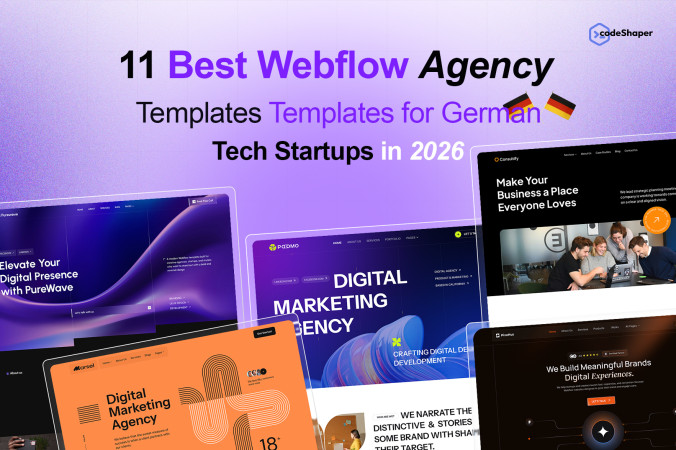
Poomo — Agency Webflow Template
- Price: $59
- Best for: Tech-forward agencies and design studios that want a content-driven site
- Key features: Full CMS across Services, Team, Projects, and Blog; dedicated FAQ page; global style guide with reusable classes; smooth scroll animations; SEO-optimised semantic structure; Figma file available on request after purchase
- Page count: 13 main pages + style guide/license/changelog utility pages
- Licence: Single-use (one client/end product per purchase)
Webloris — Agency Webflow Template
- Price: $59
- Best for: Digital agencies and creative studios that need a slightly deeper page set; this is the template. Poomo's design language was built from
- Key features: Same CMS-powered core (Services, Projects, Blog) plus a dedicated CMS-driven Careers section useful if the client agency is actively hiring; two homepage variants; two contact page layouts; global style guide
- Page count: 15 main pages + style guide/license/changelog utility pages
- Licence: Single-use (one client/end product per purchase)
Framer Templates for Agencies
Nakula — Bold Design Studio & Agency (by Velox Themes)
- Price: $129 (Figma file available as an add-on)
- Track record: Described as Velox Themes' "best-selling agency and portfolio template", with documented real-world use (e.g., a music group site built on it). This is the kind of proof point that strengthens E-E-A-T if you cite it
- Key features: CMS-powered project/case-study collections, automated SEO tooling, pre-built schema markup, an llms.txt template (a genuine AEO/GEO-relevant bonus), a pre-launch checklist, and free lifetime support
- Best for: Creative or design-driven agencies and studios wanting a premium, bold-but-structured feel
WinzTech — Agency Framer Template
- Price: $9 (Framer Marketplace), notably cheaper than Poomo/Webloris because it's a newer, single-designer release without an established track record yet
- Best for: Agencies and freelancers wanting a low-cost, fast-to-launch portfolio/agency site rather than a deep content operation
- Page list: Home, About Us, Services, Portfolio, Portfolio Details, Blogs, Blog Details, Contact Us, 404 a leaner set than Webloris (no Careers section) and matching Poomo's page count roughly
- Feature highlights:
- CMS-powered Services, Portfolio, and Blog sections
- Dynamic filtering and category tagging on portfolio/case-study items
- Subtle hover effects, on-scroll animations, and section transitions
- SEO-optimised structure: proper heading hierarchy, clean semantic markup, fast load times
- Global style guide and reusable classes for fast rebranding
- Fully responsive, cross-browser tested (Chrome, Firefox, Safari, Edge, Brave)
- Figma file available on request from Pixoora post-purchase
- Licence: Single-use (one client/end product per purchase)
FAQ
Q: Is Webflow or Framer better for agencies in 2026?
Answer: Webflow is better for agencies building content-heavy or e-commerce client sites; Framer is better for agencies shipping fast, animation-led marketing sites and landing pages. Most agencies with a varied client roster use both, choosing per project rather than standardising on one platform.
Q: Is Framer cheaper than Webflow?
Answer: For a single site, yes, Framer is typically cheaper because it bundles hosting into one per-site plan with no seat fees, while Webflow charges separately for site hosting and workspace seats. The gap narrows for larger teams and multi-site agencies, since Webflow's per-seat cost is fixed regardless of how many sites that seat manages.
Q: Can Framer handle a real blog or content-heavy CMS?
Answer: Framer's CMS works well for a single blog or a small set of dynamic pages, but it becomes limiting past roughly 100 pieces of content or once a site needs more than one or two collections. For a content hub, resource library, or high-volume blog, Webflow's relational CMS is the more scalable choice.
Q: Which platform performs better for AI search (AEO/GEO)?
Answer: Webflow currently has the edge for AI search visibility at scale: it shipped native AEO tooling in 2026 and applies schema markup more consistently across large CMS collections. Framer's schema works but requires more manual setup per page, which becomes a real operational cost on a content-heavy site.
Q: Can you migrate a website from Webflow to Framer, or vice versa?
Answer: Not cleanly. Neither platform exports its design or CMS structure to the other; CMS content can be exported as CSV and re-imported, which preserves the text but not the layout, interactions, or schema. In practice, moving between the two means rebuilding the site rather than migrating it.
Q: Do agencies need both Webflow and Framer?
Answer: Most multi-client agencies benefit from offering both, since the two platforms serve different project types well. An agency that only ever builds fast marketing landing pages can standardize on Framer alone; one that regularly builds content-heavy or e-commerce sites needs Webflow in the stack as well.
Q: Which platform is easier to hand off to a client?
Answer: Framer is generally easier to hand off: Pro Experts can join a client's project as a free editor, and full project ownership transfers cleanly at the end of an engagement. Webflow requires a paid Workspace seat for any client-side editor, which adds an ongoing cost after handoff.